Table of Contents
Over 70% of users on TikTok and Instagram Reels watch videos with the sound completely muted in public or during commutes. If your captions and on-screen typography do not hook their eyes in the first 1.2 seconds, they swipe away.
Top video editors use specific typographic contrast tricks that make captions pop without spending 2 hours hand-animating text in Premiere Pro or After Effects.
Ready to scan your font image?
Drag your file or paste with Ctrl+V to identify the font and grab the free Google Fonts twin instantly.
PNG, JPG, WEBP • No signup or search limits required
The Sound-Off Feed Phenomenon
Video feeds are visually congested. When a viewer scrolls into your video, audio rarely plays immediately. Dynamic on-screen text acts as the initial sensory hook.
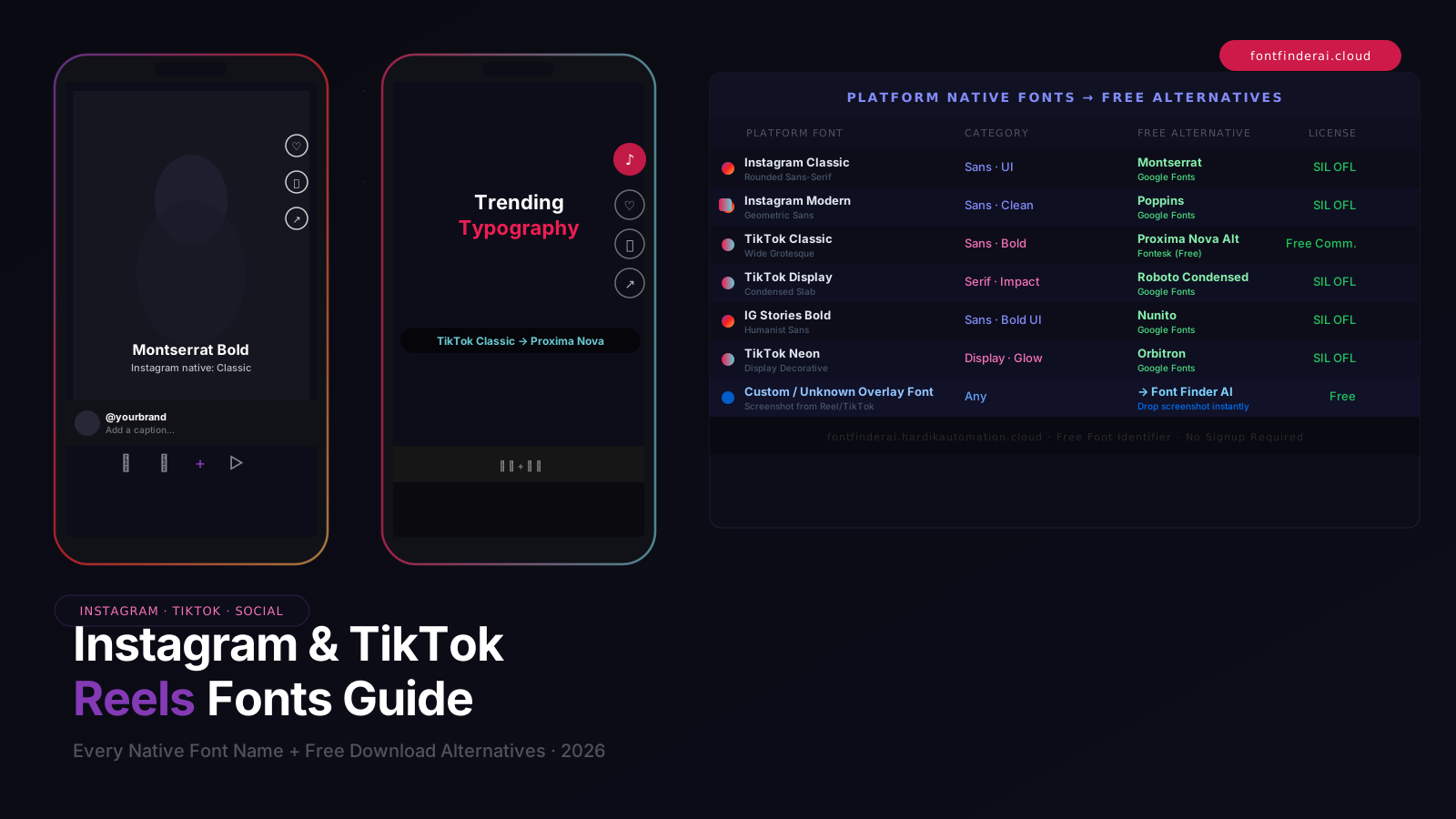
Using bold geometric typography and stylized Unicode keywords creates micro-contrast anchors that pull the viewer’s eye directly to the center of the frame.
The 3-Second Scroll-Stopping Formula
The core rules for viral video captioning:
- Keep It 3 Words at a Time: Never display entire long sentences on screen. 2 to 4 words per burst forces continuous eye tracking.
- Highlight the Climax Word: Use bold sans-serif or circled fonts for the power word (e.g., "The 🅕🅘🅥🅔 Biggest Mistakes").
- Position Above Interface Elements: Keep text in the safe zone (centered horizontally, between 25% and 65% of screen height) so platform buttons and usernames do not obscure it.
The 60-Second Mobile Typography Workflow
Type your hook phrase into our free online Font Generator, select your favorite bold or aesthetic style, tap Copy, and paste directly into your CapCut, InShot, or native TikTok caption field.
Frequently Asked Questions
Can I use these fonts in TikTok and YouTube Shorts pinned comments?
Yes! Pinned comments with aesthetic bold or circled Unicode fonts stand out dramatically from standard comments, driving high click-through rates to your links.
Conclusion
Great typography is the secret weapon of high-retention video creators in 2026.